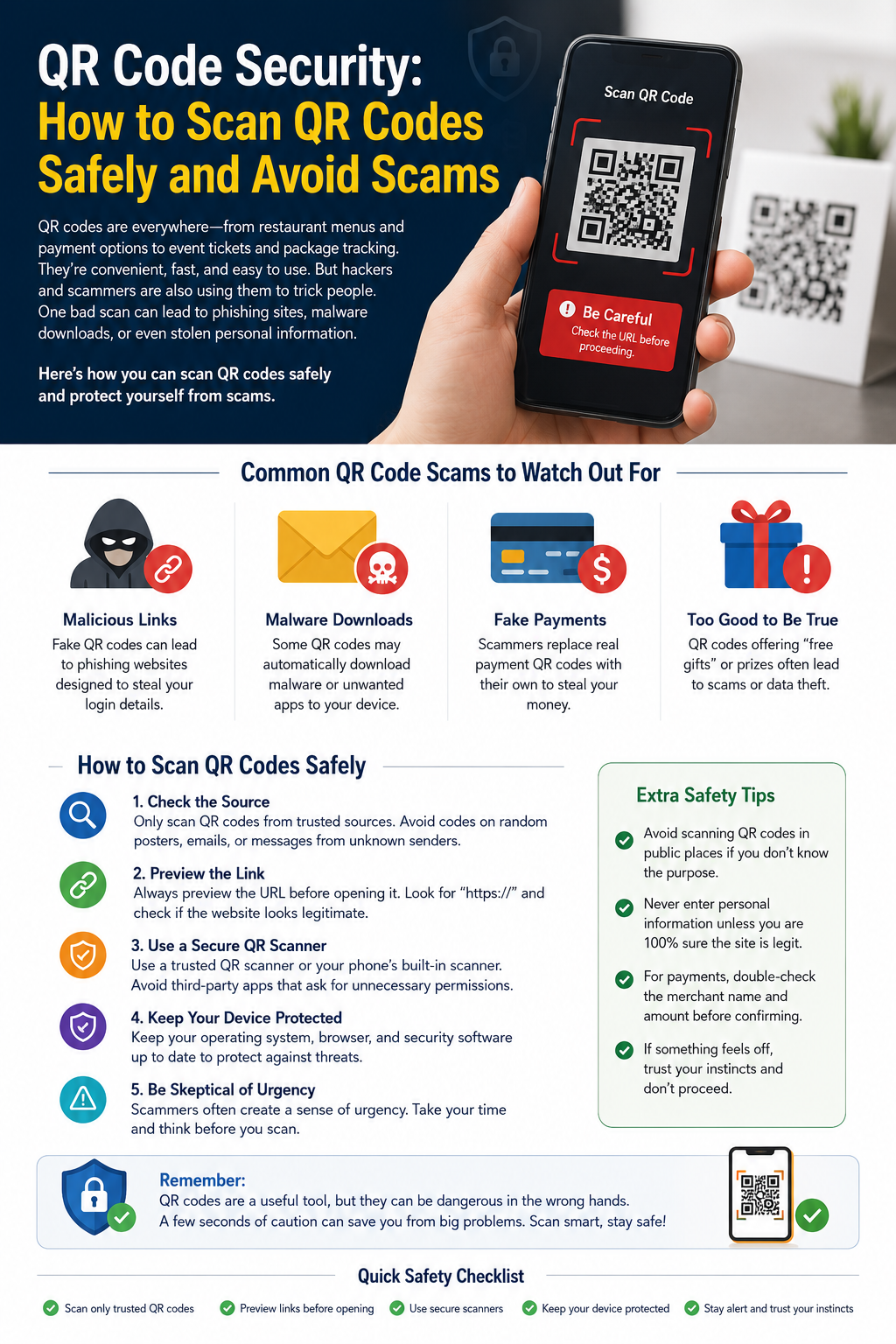
QR Code Security: How to Scan QR Codes Safely and Avoid Scams
QR codes have become a convenient way to access websites, make payments, connect to Wi-Fi, and share information. While they offer speed and simplicity, cybercriminals have also started using fake QR codes to trick people into visiting malicious websites or revealing sensitive information.
In this article, you'll learn how QR code scams work, how to recognize suspicious QR codes, and the best practices for staying safe when scanning them.
What Is a QR Code Scam?
A QR code scam occurs when someone creates a fake or malicious QR code that redirects users to a fraudulent website, fake payment page, or malware download.
Because QR codes hide the destination until scanned, users may unknowingly visit dangerous websites if they are not careful.
Common QR Code Scams
1. Fake Payment QR Codes
Scammers place fake QR code stickers over legitimate payment codes in restaurants, parking meters, or retail stores. Instead of paying the business, the money goes directly to the scammer.
2. Phishing Websites
Some QR codes redirect users to websites that look identical to trusted services, such as banks or online stores. These fake websites attempt to steal usernames, passwords, or credit card details.
3. Malware Downloads
A malicious QR code may prompt users to download an app or file that contains harmful software capable of stealing personal data or damaging the device.
4. Fake Login Pages
Scammers may create QR codes that open counterfeit login pages for email accounts, social media platforms, or business services, hoping users will enter their credentials.
5. Prize and Giveaway Scams
You might see posters or emails claiming you've won a prize. After scanning the QR code, you're asked to provide personal information or pay a small "processing fee" to claim the reward.
How to Stay Safe When Scanning QR Codes
Scan Only Trusted QR Codes
Only scan QR codes from reliable businesses, organizations, or people you know. Be cautious of random QR codes found in public places.
Check the Destination URL
Many smartphones display the website address before opening it. Carefully review the URL and ensure it belongs to the official website.
For example:
❌ https://companyname-security-login.xyz
Avoid Entering Personal Information
If a QR code directs you to a page requesting passwords, banking details, or personal information, verify the website before submitting anything.
Keep Your Phone Updated
Install the latest operating system updates and security patches to protect your device from known vulnerabilities.
Use Security Software
Mobile security apps can detect suspicious websites and help block phishing attempts.
Inspect Physical QR Codes
If you notice a QR code sticker placed on top of another QR code, avoid scanning it and notify the business.
Tips for Businesses
Businesses should also take steps to protect customers:
- Regularly inspect printed QR codes for tampering.
- Use secure HTTPS websites.
- Test QR codes after printing.
- Replace damaged or unreadable codes.
- Educate customers about official QR codes.
Warning Signs of a Fake QR Code
Be cautious if:
- The QR code is covered by a sticker.
- The website address looks unusual.
- You're asked for sensitive information immediately.
- The page contains spelling or grammar mistakes.
- The website lacks HTTPS security.
- You're pressured to act quickly.
Benefits of Using QR Codes Safely
When used responsibly, QR codes provide:
- Fast access to information
- Secure contactless payments
- Convenient digital services
- Better customer experiences
- Efficient business operations
Understanding basic security practices allows you to enjoy these benefits while minimizing risk.
Frequently Asked Questions (FAQs)
Can QR codes contain viruses?
A QR code itself cannot contain a virus. However, it can direct you to a malicious website or file that may infect your device if you download it.
Are QR code payments safe?
Yes, QR code payments are generally safe when you use trusted payment apps and verify that the payment details are correct before confirming the transaction.
How can I tell if a QR code is fake?
Check the website URL before opening it, inspect the QR code for signs of tampering, and avoid scanning codes from unknown or suspicious sources.
Should I scan QR codes from emails or text messages?
Only if you're confident the message is from a trusted sender. Scammers often use fake emails and text messages to distribute malicious QR codes.
Conclusion
QR codes make everyday tasks faster and more convenient, but like any digital technology, they should be used with care. By scanning codes only from trusted sources, verifying website addresses, and avoiding suspicious requests for personal information, you can protect yourself from common QR code scams.
Whether you're shopping online, making payments, or accessing business services, practicing good QR code security will help you enjoy the convenience of this technology while staying safe in an increasingly digital world.